A free two-page AI policy written for UK construction firms, in Word, with no email needed. It tells your team which tools they can use, what must never go into AI, and who checks AI work before it's used or sent.
An AI policy is a short set of rules for how staff may use AI tools at work. It covers which tools are allowed and what information can go into them, and it says who checks the results. It protects client information and keeps people clear on what's expected.
Does a construction firm need an AI policy?
If anyone in your business already uses ChatGPT, Copilot or a similar tool for work, then yes. Without a rule, people decide for themselves what to paste in, including client documents, prices and personal details. A two-page policy, agreed with your team, takes that guesswork away.
What should an AI policy cover?
Keep it short enough that people read it. Most of the work is in four questions: which tools are allowed, what never goes in, who checks the results, and who to tell when something goes wrong. The template covers these eight parts:
1
Who it applies to.
2
Which AI tools are approved, and which aren't.
3
What must never go into AI, and what may go in with care.
4
Checking: who reviews AI work, and when a competent person must sign.
5
Personal data and client confidentiality.
6
Being open with clients when AI has helped.
7
Who to ask, and how to report a mistake.
8
When the policy is reviewed.
The AI policy template
This is the same policy as the Word file. Fill in the parts in square brackets, then talk it through with your team before anyone signs.
AI policy for [your firm]
Fill in the parts in square brackets, then talk it through with your team before anyone signs.
Firm
Version
Agreed on
Next review
01Purpose
This policy explains how people at [your firm] may use AI tools at work, so we get the benefit without putting client information, safety or quality at risk.
02Who it covers
Everyone who works for [your firm], including subcontractors using our systems.
03Approved tools
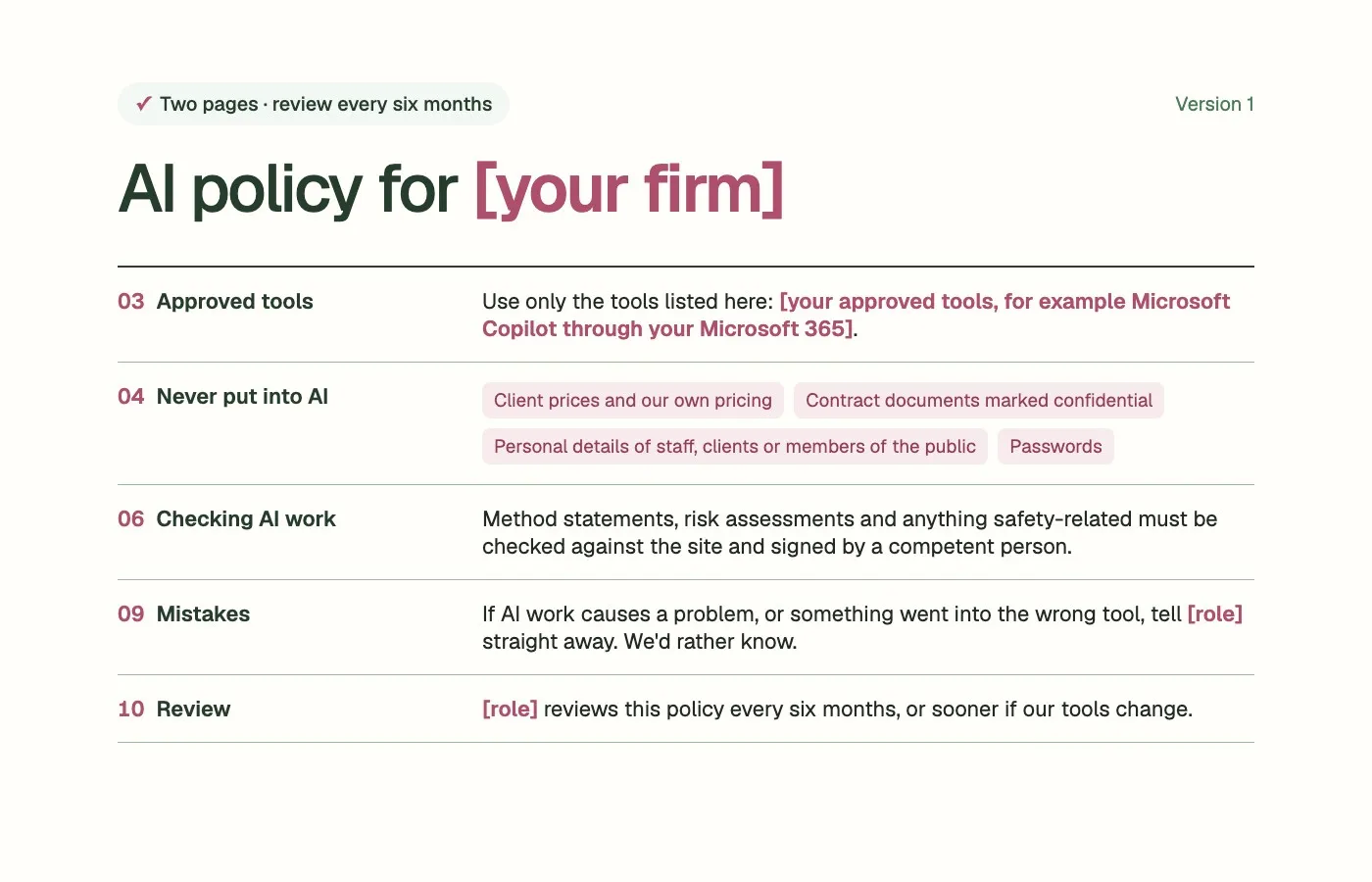
Use only the tools listed here: [your approved tools, for example Microsoft Copilot through your Microsoft 365].
Use your work account, never a personal one.
Ask [name or role] before trying anything else.
04Never put into AI
client prices and our own pricing;
contract documents marked confidential;
personal details of staff, clients or members of the public;
passwords;
anything a client has asked us to keep private.
05Use with care
Drawings, specifications and project correspondence may go into approved tools only.
06Checking AI work
Treat anything AI produces as a first draft.
The person who uses it is responsible for checking it.
Method statements, risk assessments and anything safety-related must be checked against the site and signed by a competent person.
Contract letters and anything sent to a client must be read in full by the person sending it.
07Personal data
UK data protection law applies when AI tools process personal data. If in doubt, leave personal details out and ask [role].
08Being open
If a client asks whether AI helped produce a document, tell them.
09Mistakes
If AI work causes a problem, or something went into the wrong tool, tell [role] straight away. We'd rather know.
10Review
[role] reviews this policy every six months, or sooner if our tools change.
Start by finding out who already uses AI and for what, then approve the tools that fit how you work. Talk the policy through with your team, ask everyone to sign it, and review it after six months, or sooner if your tools change.
1
Find out who already uses AI, and for what.
2
Fill in the template with the tools you'll approve.
3
Talk it through at a team meeting or toolbox talk.
4
Ask everyone to read and sign it.
5
Review it after six months, or sooner if your tools change.